
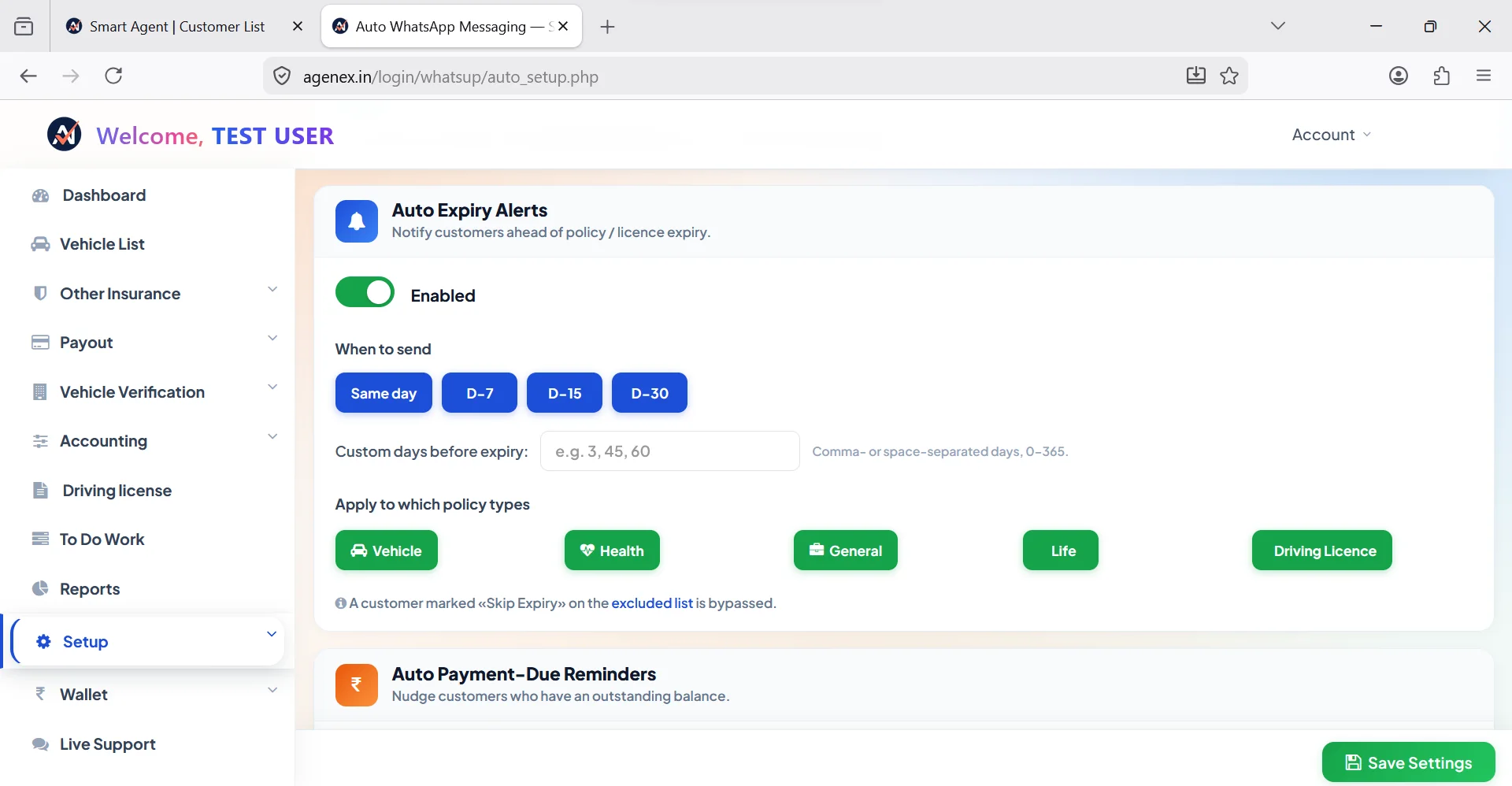
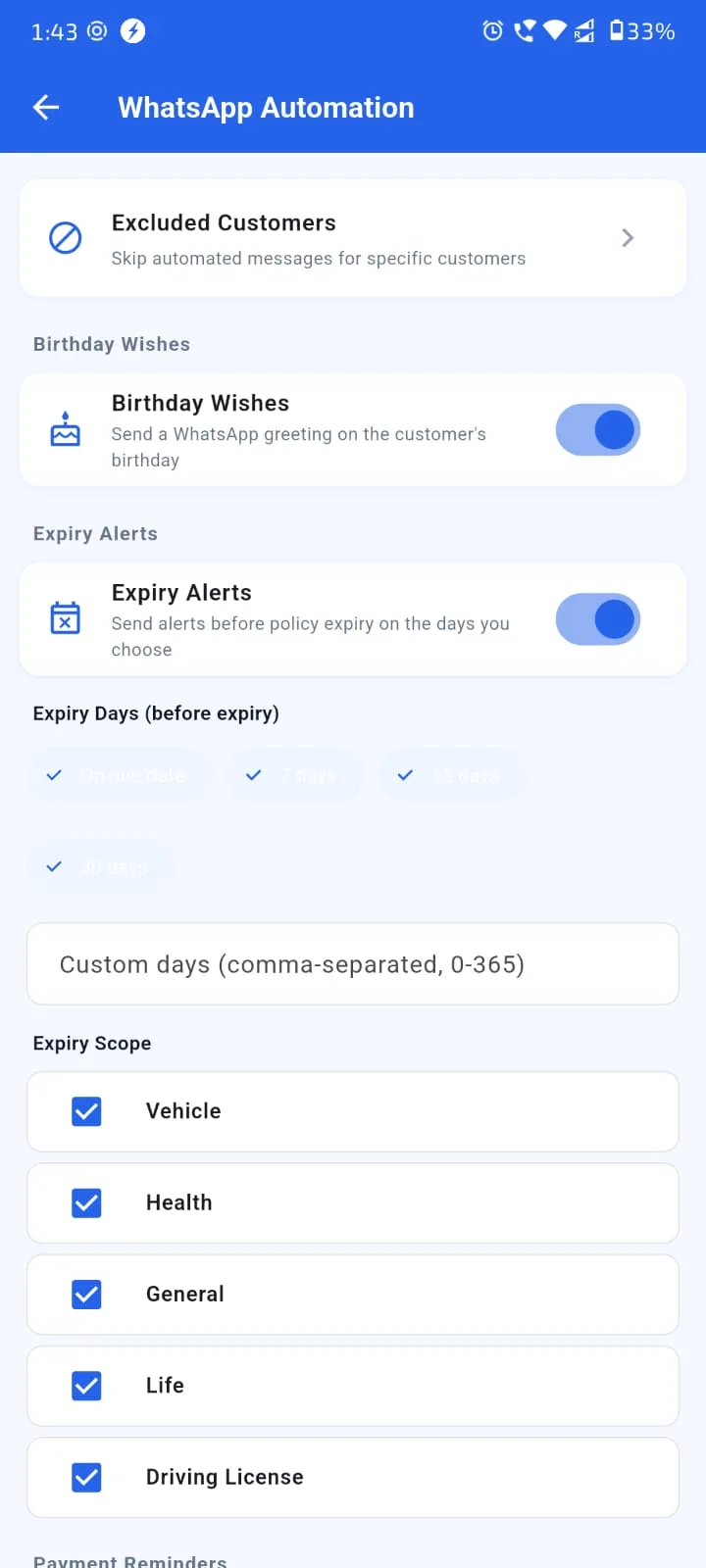
The single highest-leverage automation in insurance is renewal reminders. Most agents lose 20-40% of their renewable book every year — not because customers actively switch, but because nobody reminded them clearly enough at the right time. A working 4-touch reminder cadence consistently lifts renewal ratios from struggling-50s to healthy-90s, often within 3-6 months of switching from manual to automated. This guide explains why 4 touches is the sweet spot, what each touch should say, and how to set it up properly using a real customer renewal reminder software.
For Indian insurance agents specifically, the cadence has to work in the customer's preferred language (Hindi, Tamil, Telugu, Bengali, Gujarati, Marathi, Punjabi, Kannada, Malayalam or English) and across multiple channels (WhatsApp primary, SMS fallback, voice for high-value). The agents who get this right run almost-passive retention engines. The ones who don't keep losing customers and blaming pricing. Related: Automated Renewal Reminder App, WhatsApp Renewal Reminder, Policy Expiry Notification on WhatsApp, Smart Reminder System.
Why 4 Touches Are The Sweet Spot
A single renewal reminder gets ignored. Most people see the WhatsApp message, intend to handle it later, and forget. Two-touch sequences perform better but still leave significant renewals on the table. Four-touch sequences at 30/15/7/1 days consistently deliver the highest capture rates without crossing into spam territory.
Why four works: it spaces out enough to feel like multiple distinct reminders (not noise), it covers the typical customer's decision window (most people decide somewhere between day 15 and day 7), and it includes one final urgent touch (day 1) that catches the procrastinators. Five or more touches doesn't add much capture but starts annoying customers — counterproductive for relationship.
Touch 1 — Day 30 (Soft Heads-Up)
30 days before expiry, send a soft heads-up. No pressure. Just informational. "Hi [name], your [policy type] with [insurer] is up for renewal on [date]. Premium is approximately ₹[amount]. I'll be in touch as the date approaches — feel free to message anytime for questions."
This touch sets expectation and gives the customer time to plan. Some customers will renew immediately on day 30 just to get it off their list — and that's a clean win. The rest carry the date in mind for the next few weeks. WhatsApp in the customer's language is the right channel for this touch.
Try Agenex Free
Every Agenex feature is included on a free trial — no credit card required. The customer renewal reminder software with the 4-touch cadence built in.
Start Free TrialTouches 2 & 3 — Day 15 And Day 7 (Action Window)
Day 15: "Hi [name], reminder that your [policy] renews on [date]. Premium ₹[amount]. Pay link: [link]. Let me know if you'd like to discuss any add-ons or upgrade options." This is the action message — premium amount, payment link, gentle nudge to engage.
Day 7: "Hi [name], just 7 days to your renewal. Pay link: [link]. Don't let your cover lapse — even one day's gap can lead to PED waiting period reset (for health) or RC issues (for motor)." This touch adds appropriate urgency and explains the cost of inaction.
The majority of renewals will close between these two touches. Customers who were ready get the payment link directly. Customers who had questions feel compelled to engage during this window. Your insurance lead tracking system should mark each customer's response so you know who needs personal follow-up vs who's already paying.
Touch 4 — Day 1 (Final Push)
The final reminder on day 1 catches the procrastinators. Most agents see 8-12% of total renewals come from this final touch alone — meaning if you skip it, you're directly losing nearly a tenth of your book each year. "Hi [name], your [policy] expires tomorrow. Pay now to avoid lapse: [link]. Call me if you need help finalizing."
For high-value customers (large premium, long-standing relationship, known difficult-to-reach), this is the moment to make a personal phone call instead of relying on the auto-WhatsApp. A working insurance digital assistant app flags such cases on the agent's day-of calling list. The mass cadence handles 80-85% of renewals automatically; the agent's personal time goes into the high-value 15-20%.
Grace-Period Recovery Touches
Even with perfect 4-touch cadence, some renewals will lapse. Health insurance especially — customers may face cash flow issues, family events, or forget despite reminders. A good insurance agent app should also fire grace-period recovery messages:
- Day +7 (post-expiry): "Hi [name], your [policy] lapsed last week. You can still renew within the grace period to retain benefits. Pay link: [link]."
- Day +21: "Final grace reminder — your [policy] lapses permanently in 9 days. Avoid PED reset / coverage gap. Pay link: [link]."
Typically 15-30% of recent lapses can be recovered with these grace-period touches. This represents pure additional commission beyond your in-window renewal capture rate. Insurance lead manage kaise kare at the post-lapse stage is still a meaningful revenue lever for any well-organized agent.
FAQ
Calls work but don't scale. At 200+ active customers, manual calling becomes a full-time activity that crowds out new business. WhatsApp + SMS automation handles the bulk; calls are reserved for high-value or non-responding customers.
Send between 10 AM - 7 PM on any day. Weekends often work better for customers who are busy at work during weekdays. Avoid evenings after 9 PM and very early mornings.
WhatsApp Business API respects STOP commands automatically. The system records the opt-out and excludes that customer from future automated cadence. You can still call them personally.
Yes — and in some ways even better, since life policies have explicit grace periods. The 4-touch + grace recovery cadence applies equally for LIC endowment, term, ULIP and money-back products.
Yes — within WhatsApp's approved template categories. You can personalize agent name, policy reference, premium amount, payment links and language. Templates are pre-approved as part of onboarding.